

When you use the Hub, JHE_TOKEN is set for you. If you’re using the client library from another computational environment, you’ll need to generate a token and set JHE_TOKEN yourself.
Log in to the Exchange in your browser and open Data Portal.
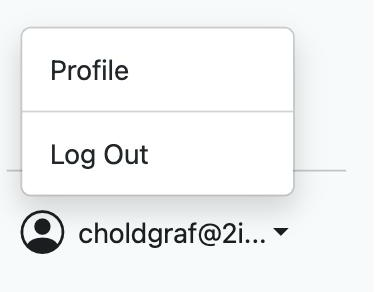
Click your user email in the bottom left, then Profile.
Under Generate Bearer Token, click Create New and copy the token.
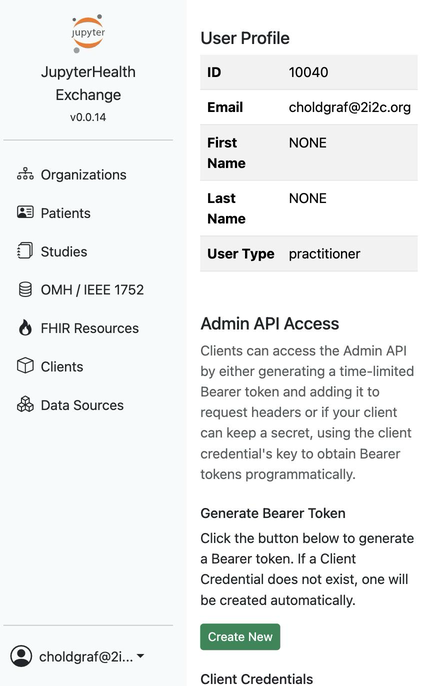
Copy your token and Exchange URL. In your notebook, set them before creating a client:
from jupyterhealth_client import JupyterHealthClient

JHE_URL = "https://<your-exchange-url>"
JHE_TOKEN = "<your-token>"
client = JupyterHealthClient(JHE_URL, token=JHE_TOKEN)
Tokens are time-limited, so create a new one when it expires.